Installation Instructions
Warning
This is a work in progress version of the Arduino Core for PSOC™ 6 documentation. While this warning notice is present, the documentation is NOT ready for public usage.
Integration in Arduino IDE
Note
We recommended to use Arduino IDE 2.0 or higher.
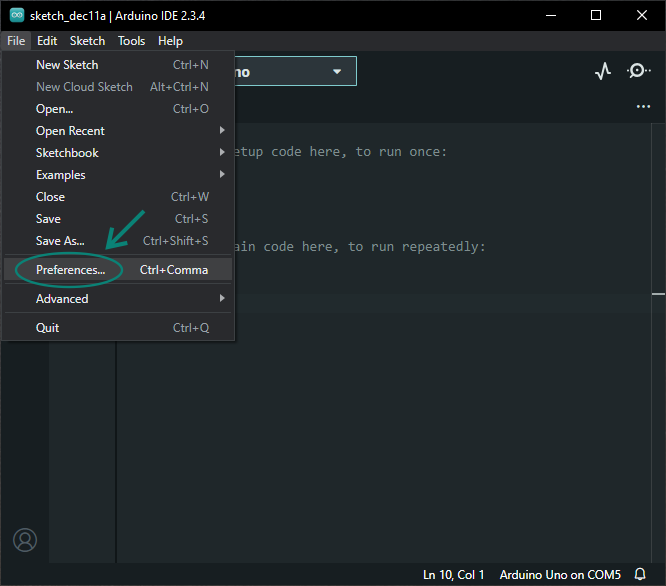
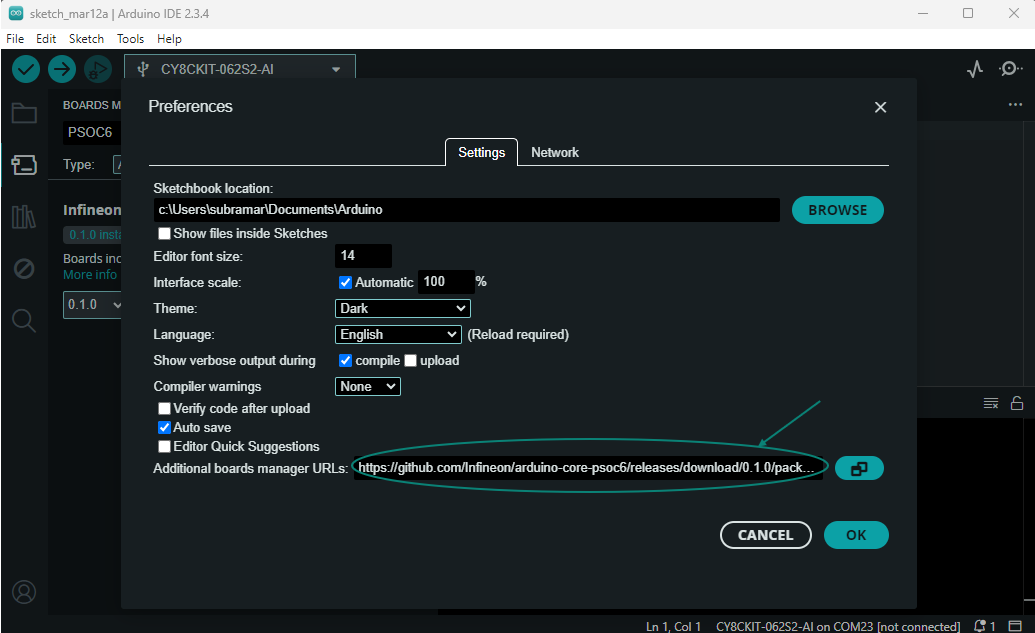
Paste the following URL into the Additional boards manager URLs input field under File > Preferences to add Infineon’s PSOC™ 6 microcontroller boards to the Arduino IDE:
https://github.com/Infineon/arduino-core-psoc6/releases/latest/download/package_psoc6_index.json
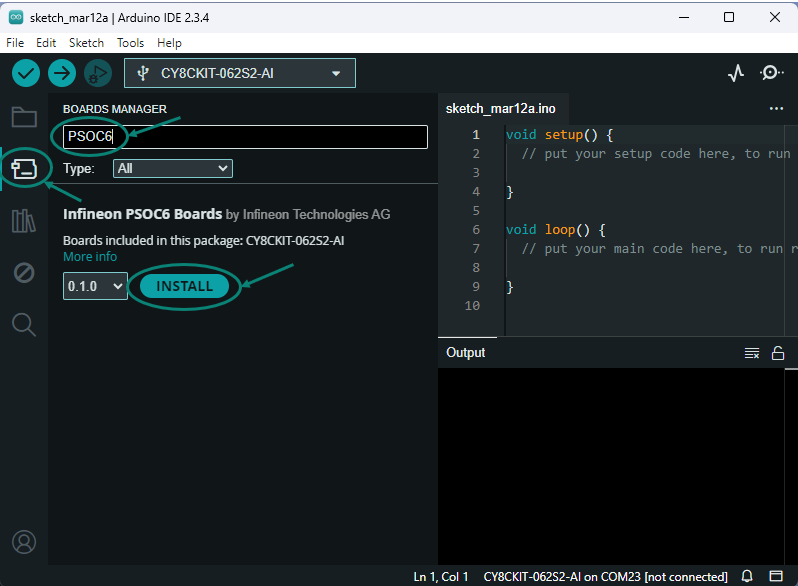
To install the boards, navigate to Tools > Board > Boards Manager… and search for PSOC6. Now you can install the Infineon PSOC™ 6 microcontroller boards. Click Install to add the boards to your Arduino IDE. This might take up to 2 minutes.
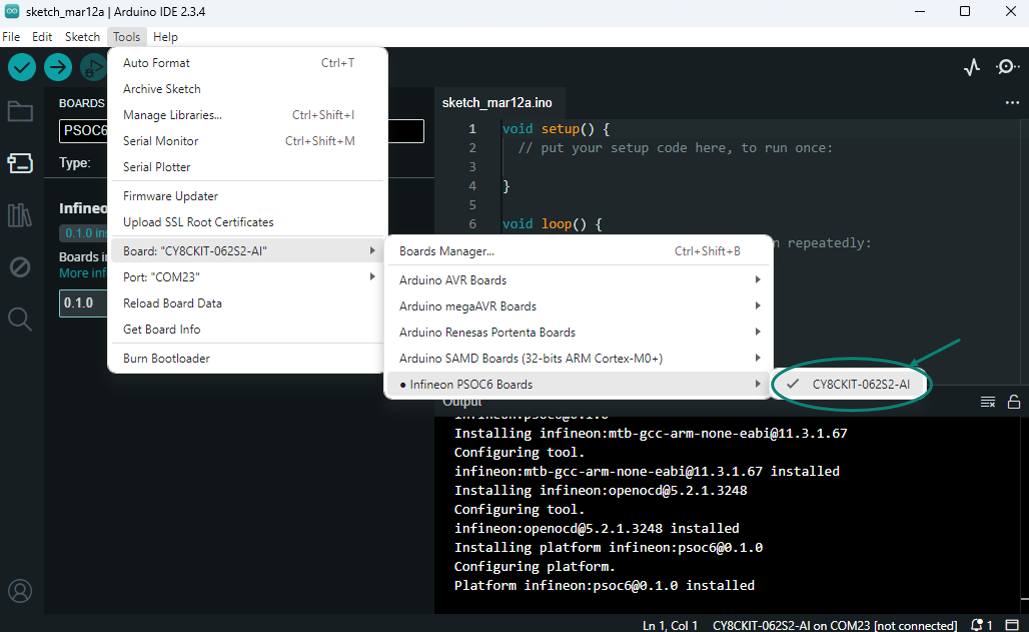
In the boards list at Tools > Board > Infineon PSOC6 Boards, you will now find the supported PSOC™ 6 microcontroller boards.
Installation in Arduino CLI
To install the PSOC™ 6 microcontroller boards using the Arduino CLI, first make sure you have the latest version of the Arduino CLI installed.
Now you can add the Infineon PSOC™ 6 microcontroller boards package to the Arduino CLI:
$ arduino-cli core install infineon:psoc6 --additional-urls https://github.com/Infineon/arduino-core-psoc6/releases/latest/download/package_psoc6_index.json
Finally, check if the package has been properly installed by running:
$ arduino-cli core list
And… you are ready to develop 👷!